Modernizing Business Infrastructure with Azure: DevOps, Cloud Services, and Smarter Solutions
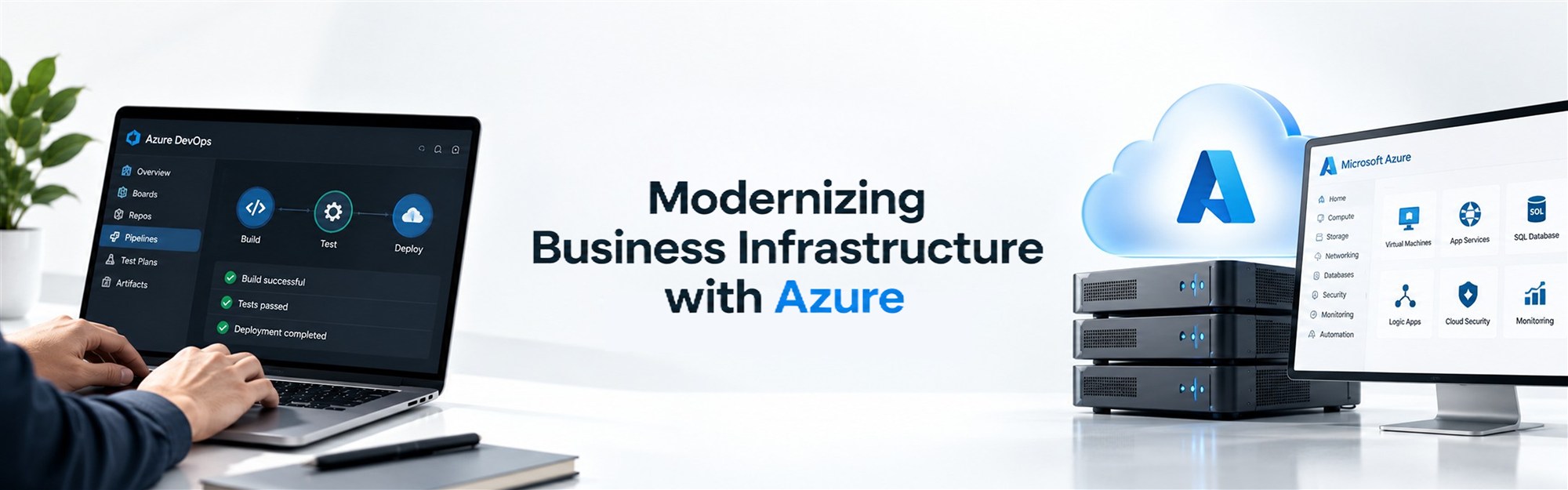
More businesses are shifting their applications, data, and day-to-day operations onto cloud infrastructure, and for good reason: it's harder to scale, secure, and maintain systems that live entirely on physical servers you own and manage yourself.
But adopting a cloud platform isn't as simple as moving servers online and calling it done. It requires thoughtful architecture, proper security controls, automation, integration between systems, ongoing monitoring, and someone paying attention to how it's all performing over time.
Microsoft Azure has become a common choice for businesses working through this shift, largely because of how much ground it covers: infrastructure hosting, application development, data storage, automation, and integration all within one platform. Alongside Azure, DevOps practices help organizations manage the ongoing work of building, testing, and releasing software in a way that's more consistent and less prone to manual error.
Businesses evaluating Azure, or looking to get more out of an environment they already have, often work with technology partners like Infotiqq to figure out what a properly built Azure setup should actually look like for their specific situation, rather than assembling something ad hoc and hoping it holds up.
What Is Microsoft Azure and Why Do Businesses Use It?
Microsoft Azure is a cloud computing platform that lets businesses run applications, store data, and manage infrastructure without owning and maintaining physical servers. It's broad by design, which is part of why so many different types of businesses end up using it.
Common use cases include:
- Cloud infrastructure for hosting applications and services
- Application hosting for web apps, APIs, and internal tools
- Data storage for structured and unstructured data
- Databases, including managed database services
- Application integration, connecting different systems and platforms
- Analytics for understanding business and operational data
- Security tools and access controls
- Automation for repetitive operational tasks
- Backup and disaster recovery planning
- Software development and deployment environments
This range is exactly why Microsoft Azure services aren't one-size-fits-all. A logistics company managing real-time tracking data has very different requirements than a professional services firm running internal applications. The right combination of Azure services depends on the organization's applications, its data, its security obligations, how much it expects to scale, and what it's actually trying to accomplish, not on picking whatever services sound most advanced.
Understanding Azure DevOps Consulting
Azure DevOps consulting is, at its core, about helping organizations plan and improve how they build, test, and release software using Azure's DevOps tools and practices. For a business that's never formalized this process, it can mean the difference between deployments that feel chaotic and ones that feel routine.
Consulting in this space typically touches on:
- Development workflows: how code moves from idea to production
- Source control: managing code changes in an organized way
- CI/CD pipelines: automating the build, test, and release process
- Automated testing: catching problems before they reach customers
- Deployment automation: reducing manual steps during releases
- Infrastructure as code: defining environments through configuration rather than manual setup
- Release management: controlling how and when changes go live
- Monitoring: tracking how applications behave after deployment
- Collaboration between development and operations teams
A structured DevOps approach tends to reduce the amount of manual, repetitive work involved in shipping software, and it improves consistency from one release to the next. That said, it's worth being honest about what DevOps can and can't do; it won't eliminate every deployment issue or bug. What it does is create a more predictable process for catching and handling problems when they come up.
What Do Azure DevOps Consulting Services Include?
Azure DevOps consulting services usually break down into a few distinct areas, each addressing a different part of the software delivery process.
DevOps Assessment
Before making changes, it helps to understand what's already in place, how code currently moves through development, testing, and release, and where the friction points are.
CI/CD Implementation
This involves setting up automated pipelines that handle building, testing, and deploying code, so releases don't depend on someone manually running through a checklist every time.
Infrastructure Automation
Rather than manually configuring servers and environments, infrastructure as code allows environments to be provisioned automatically and consistently, reducing configuration drift between them.
Application Deployment
Deployments are set up as controlled, repeatable processes rather than one-off events, which makes rollbacks and troubleshooting far more manageable when something doesn't go as planned.
Monitoring and Optimization
Ongoing monitoring of applications and infrastructure gives teams visibility into performance and issues, which can then inform where to focus improvement efforts.
DevOps Process Improvement
DevOps isn't something you set up once and leave alone. Processes around development, testing, deployment, and team collaboration tend to need periodic refinement as the organization and its applications evolve.
Choosing an Azure Consulting Company in India
When businesses search for an Azure consulting company India has to offer, they're generally trying to find a partner who understands both the technical platform and their specific business context. Worth evaluating:
- Depth of Azure technical expertise
- Cloud architecture experience relevant to your type of application
- DevOps knowledge and hands-on pipeline experience
- Application integration capabilities
- Security practices and how seriously they're built into projects
- Migration experience, if you're moving from another environment
- Understanding of your particular industry
- Communication quality throughout a project
- Documentation practices
- Project planning and how clearly scope is defined
- Post-implementation support availability
Location can be a reasonable factor if in-person collaboration matters to your team, but it shouldn't be the primary basis for the decision. Technical expertise and whether a provider genuinely understands your project's requirements tend to matter more than where they happen to be based.
Azure Logic Apps Development for Workflow Automation
Azure Logic Apps development focuses on building automated workflows that connect different applications, services, and APIs without requiring custom code for every integration. It's a practical tool for businesses that rely on multiple systems that need to talk to each other.
Typical use cases include:
- Automating recurring business processes
- Connecting different cloud applications
- Building API-based workflows
- Triggering notifications based on specific events
- Synchronizing data between systems
- Managing order processing steps
- Coordinating customer communication
- Handling approval workflows
- Integrating separate business systems into a single process
A practical example: an e-commerce order comes in, and a Logic App automatically triggers an inventory update, sends a confirmation email to the customer, and notifies the fulfillment team, all without anyone manually connecting these steps each time. The specific workflow design should always be based on how the business actually operates and what systems genuinely need to connect, rather than automating for the sake of it.
Azure Cloud Solutions for E-Commerce
E-commerce businesses deal with a particular set of infrastructure demands: traffic that isn't steady, product catalogs that keep growing, and transactions that need to process reliably and securely. Azure cloud solutions for e-commerce are built around managing all of that together.
Relevant areas include:
- E-commerce website hosting built to handle variable load
- Product catalog systems for growing inventories
- Customer account management
- Order processing that stays reliable during high demand
- Inventory integration across sales channels
- Payment integrations
- APIs connecting the storefront to other systems
- Customer data storage and management
- Analytics for tracking sales and customer behavior
- Application monitoring
- Traffic management during high-demand periods
- Backup and recovery planning
One of the practical advantages of cloud infrastructure for e-commerce is being able to handle traffic spikes during product launches, promotional campaigns, or seasonal shopping periods without maintaining infrastructure sized for peak demand all year round. Actual performance outcomes, though, depend on how the environment is architected and configured, not on the platform alone.
Azure Cloud Audit Services: Understanding Your Existing Environment
Businesses that have been running on Azure for a while sometimes lose track of exactly how their environment is configured, especially if it's grown incrementally over time. Azure cloud audit services provide an independent review of what's actually in place.
An audit can assess areas such as:
- Cloud configuration across services
- Security controls
- Identity and access management
- Resource usage and utilization
- Performance
- Cost management
- Backup configuration
- Monitoring setup
- Governance practices
- Compliance considerations relevant to the business
- Potential configuration risks
The value of an audit is mostly in visibility; it helps an organization understand what its current environment actually looks like and where there might be gaps worth addressing. It's worth being clear that an audit doesn't automatically guarantee complete security or compliance on its own; it identifies issues and risks, but addressing them is a separate, ongoing effort.
When Should a Business Consider Azure Consulting?
There isn't one single trigger for bringing in Azure consulting; it tends to come up in a handful of recurring situations:
- Moving applications to Azure for the first time
- Modernizing infrastructure that's become outdated or hard to maintain
- Improving deployment processes that feel inconsistent or error-prone
- Automating manual workflows
- Integrating multiple applications or systems
- Scaling an e-commerce platform ahead of anticipated growth
- Reviewing cloud security posture
- Optimizing cloud resources and costs
- Establishing DevOps practices where none currently exist
- Assessing an existing Azure environment that's grown without much oversight
If more than one of these sounds familiar, it's usually a sign that some structured planning would help, even if the business isn't sure yet exactly what that should look like.
Azure Services Offered by Infotiqq
Infotiqq provides Azure and cloud technology services relevant to the areas covered in this article. This includes Azure DevOps consulting for organizations looking to build more structured development and deployment processes, and broader Microsoft Azure services covering infrastructure, hosting, and application support.
The team also works on Azure Logic Apps development for workflow automation, Azure cloud solutions for e-commerce for businesses running online stores, and Azure cloud audit services for organizations wanting a clearer picture of their existing environment. Beyond these specific areas, Infotiqq's Azure work extends to cloud architecture and implementation, application integration, and ongoing cloud monitoring and optimization.
How Infotiqq Approaches Azure Projects
Understanding Business Requirements
Azure planning starts with the business itself: its objectives, application requirements, users, data, security needs, and expectations around scale. Skipping this step tends to lead to infrastructure that doesn't actually fit how the business operates.
Architecture Planning
This involves designing an Azure environment around the organization's actual technical and business requirements, rather than defaulting to a generic configuration.
Development and Integration
Where needed, this covers application development, API work, workflow automation, and integration between existing business systems.
DevOps and Automation
This includes setting up CI/CD pipelines, automated testing, deployment workflows, and infrastructure automation to support more consistent releases.
Security and Governance
Identity management, access controls, monitoring, backups, and governance policies are put in place to protect the environment on an ongoing basis.
Testing and Deployment
Applications and cloud configurations are tested before production deployment, reducing the chances of issues surfacing after go-live.
Ongoing Optimization
Azure environments need periodic review for security, performance, resource usage, and changing business needs, rather than being treated as finished once deployed.
How to Choose the Right Azure Service Provider
A practical checklist for evaluating Azure providers:
- Azure expertise across the specific services you need
- DevOps capabilities and hands-on automation experience
- Cloud architecture knowledge suited to your application type
- Application integration experience
- Security understanding and practices
- Relevant industry knowledge
- Clear, consistent project communication
- Solid documentation practices
- A defined support model after launch
- Monitoring capabilities
- Long-term scalability planning
The right provider ultimately depends on your organization's technology environment, business goals, budget, and how complex the project is. There's no universal answer that applies to every business.
The Long-Term Value of a Well-Managed Azure Environment
Cloud adoption doesn't stop being relevant once an application is deployed and running. A well-managed Azure environment depends on ongoing attention to:
- Regular security reviews
- Periodic cloud audits
- Continuous monitoring
- Performance optimization as usage evolves
- Cost management to avoid unnecessary spend
- Backup and disaster recovery planning
- Infrastructure updates aligned with new Azure capabilities
- DevOps process improvements over time
- Application modernization as business needs shift
Businesses that treat cloud infrastructure as an ongoing responsibility rather than a one-time project tend to avoid the kind of configuration drift and technical debt that becomes expensive to untangle later.
Conclusion
Microsoft Azure can provide a flexible foundation for modern business applications and infrastructure, but the platform itself is only part of the picture. Azure DevOps consulting, well-planned cloud services, workflow automation through tools like Logic Apps, e-commerce-specific solutions, and periodic cloud audits all play a role in building an environment that's structured, secure, and able to adapt as the business changes.
For organizations working through any part of this, whether that's a first migration, a DevOps overhaul, or a review of an existing setup, Infotiqq provides Azure cloud and DevOps services across these areas, supporting businesses as their infrastructure requirements evolve.
Frequently Asked Questions
Azure DevOps consulting helps organizations plan and improve their software development and deployment processes using Azure DevOps tools and practices, including CI/CD pipelines and automation.
They typically include DevOps assessment, CI/CD implementation, infrastructure automation, application deployment, monitoring, and ongoing process improvement.
Microsoft Azure services support cloud infrastructure, application hosting, data storage, databases, application integration, analytics, security, and automation for businesses of various sizes.
Focus on Azure technical expertise, DevOps and integration experience, security practices, and communication quality, rather than selecting a provider based on location alone.
It's the process of building automated workflows using Azure Logic Apps to connect applications, services, and APIs, such as triggering notifications or syncing data between systems.
Azure can provide scalable hosting, secure payment integrations, order processing, inventory integration, and traffic management for e-commerce platforms handling variable demand.
Azure cloud audit services involve an independent review of an organization's Azure environment, assessing configuration, security, access management, cost, and governance practices.
Audits are useful when an environment has grown without much oversight, before major changes, after security incidents, or periodically as part of routine cloud governance.
Yes. Infotiqq provides Azure DevOps consulting, Microsoft Azure services, Logic Apps development, e-commerce cloud solutions, and Azure cloud audit services.
Businesses can improve their Azure environment through regular security reviews, cloud audits, performance monitoring, cost optimization, and ongoing DevOps process refinement.